
What is root cause analysis in SaaS?
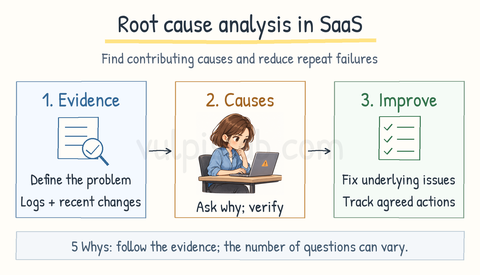
Root cause analysis (RCA) is the process of finding the underlying reasons why a problem occurred in a SaaS application. It helps teams choose improvements that reduce the chance of the problem happening again.
The team clearly describes the problem, gathers evidence such as logs and recent software changes, and investigates possible causes. One technique is the 5 Whys, which means repeatedly asking why something happened. The answers must be supported by evidence; the investigation may need fewer or more than five questions.
An incident can have several contributing causes. The review focuses on improving the software, processes, and safeguards. Findings and agreed actions are documented so the team can follow through.
For example: A SaaS CRM cannot save customer records after an update. RCA finds that the new software requires a database field that was never added, and release checks missed the mismatch. The team corrects the release process and adds a test to catch this problem before future updates.
What is a post-incident review in SaaS?
A post-incident review, also called a postmortem, is a structured review of a SaaS incident after the service is stable. It helps the team learn what happened and reduce the likelihood or impact of similar incidents.
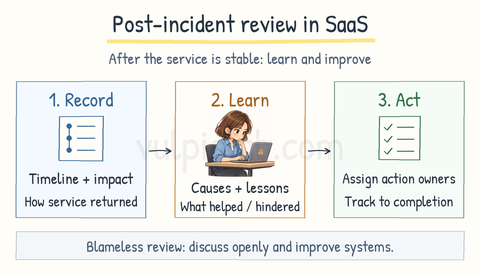
The review documents what happened, who was affected, and how the service was restored. It includes the root cause analysis findings and examines what worked well and what made the response difficult.
The team agrees on improvements, assigns someone responsible for each action, and tracks progress. These improvements may involve software, testing, monitoring, or customer communication.
The review should be blameless, meaning people can discuss mistakes openly while the team focuses on improving systems and processes.
For example: After a SaaS CRM outage, the review finds that restoring the previous software version worked quickly, but customer updates were delayed. The team improves its communication procedure and tracks that action alongside the technical fixes.
What is release management in SaaS?
Release management is the process of planning, testing, and coordinating software updates before making them available to SaaS customers. A release may include new features, bug fixes, or security improvements.
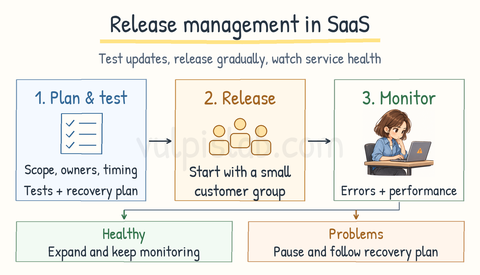
The team agrees on what the release includes, who is responsible, and when it should become available. It checks that the changes meet requirements and have passed the necessary tests.
Before releasing an update, the team prepares a recovery plan in case something goes wrong. This may include safely returning to the previous working version, called a rollback.
The update can reach a small group of customers first. The team monitors errors and performance before extending it to more customers. If problems appear, it pauses the rollout and follows the recovery plan.
For example: A SaaS CRM introduces a new reporting feature. The team tests report accuracy and access permissions, enables it for selected customers, and checks that it works properly before making it widely available.
What is CI/CD in SaaS development?
CI/CD is a set of practices that helps teams build, test, and deliver software updates more reliably. CI means Continuous Integration. CD can mean Continuous Delivery or Continuous Deployment.
Continuous Integration: Developers frequently combine their code changes in a shared location. Automated checks build the software and run tests to help identify problems early.
Continuous Delivery: The process automatically prepares and tests updates so they are ready to deploy. A person decides when to deploy them to production, meaning the live environment customers use.
Continuous Deployment: Changes that pass the required checks are automatically deployed to production, without a separate manual approval for each update.
For example: A developer fixes a reporting error in a SaaS CRM. Automated checks build and test the updated software. With continuous delivery, the tested update waits for a deployment decision. With continuous deployment, it reaches the live environment automatically after passing the checks.