
A support manager clicks “unresolved complaints” on her dashboard. Closed complaints appear too.
She tries again. Same problem. So she records her screen and sends the video to the development team: “Can you fix this?”
The request is short. The work behind it may not be. Someone has to understand what the recording shows, find the cause in the software and check that the repair does not break something else.
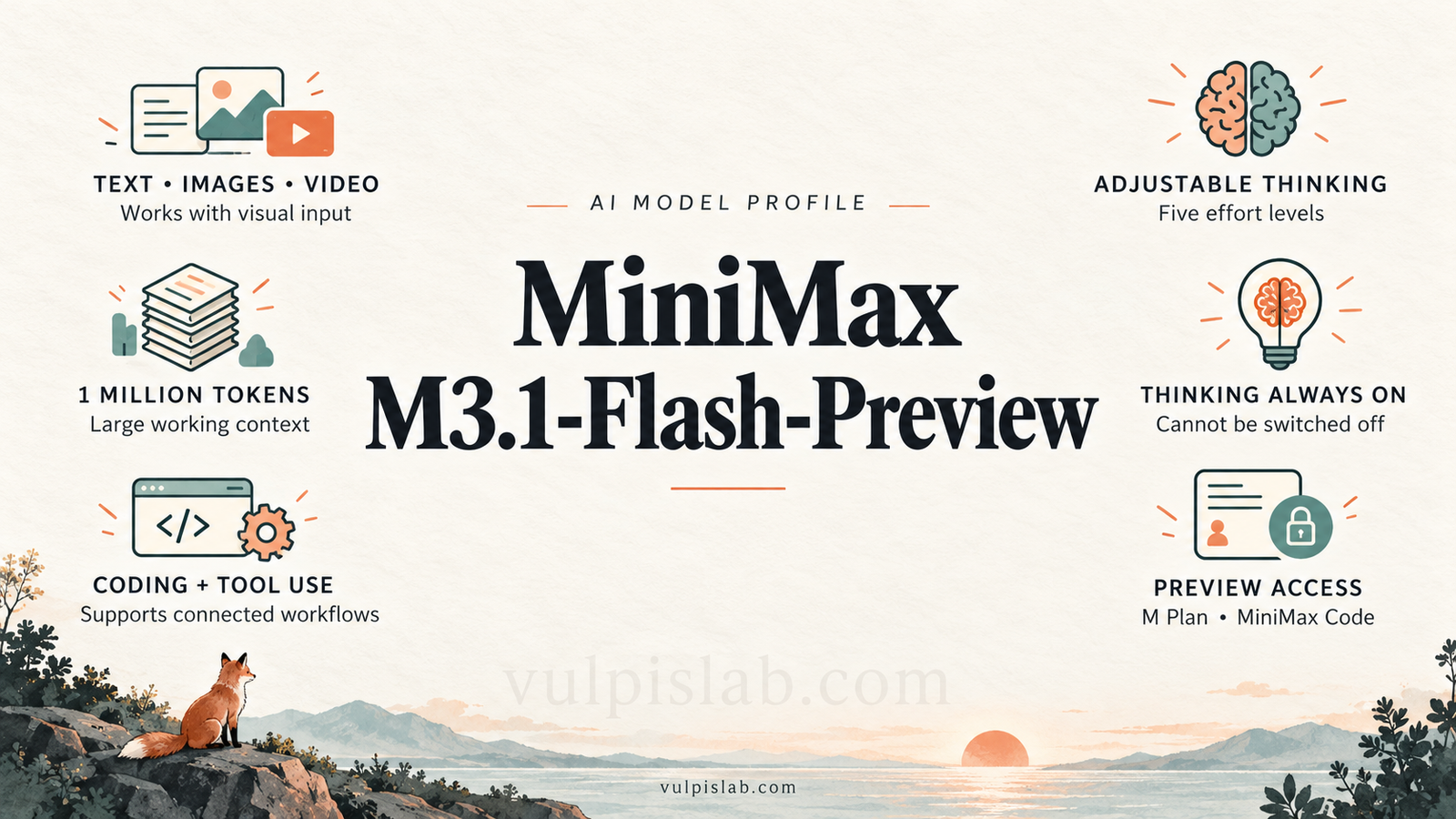
This is the kind of task that makes MiniMax M3.1-Flash-Preview interesting. MiniMax presents it as a coding model that can work with visual information, handle a large amount of material and adjust how much reasoning it does. [1]
For a team choosing an AI model, the question is practical: could those features help turn a vague problem report into useful work?
Meet the model
| Profile detail | Information |
|---|---|
| Model | MiniMax M3.1-Flash-Preview |
| Provider | MiniMax |
| Family | MiniMax M-series |
| Version | M3.1 |
| Variant / tier label | Flash |
| Status | Preview |
| Name used by software | MiniMax-M3.1-Flash-Preview |
| Documented access | M Plan and MiniMax Code |
| Main focus | Coding and tasks that use connected tools |
MiniMax lists this preview alongside M3 and earlier models. “Flash” is a name, so it should not be treated as proof that every job finishes faster. [1]
The dashboard story below is an imagined example, not a hands-on test. It shows how the documented features could fit together and where the surrounding application still has work to do.
What changes if you already know MiniMax M3?
M3 already accepts images and video and has a million-token context window. The preview adds adjustable, always-on thinking. [3]
That distinction matters. Choosing a newer model does not mean every useful feature is new.
| What you can compare | MiniMax M3 | M3.1-Flash-Preview |
|---|---|---|
| Material it accepts | Text, images and video | Text, images and video |
| Working space for a task | 1 million tokens | 1 million tokens |
| Requests to connected tools | Supported | Supported |
| Thinking in the Messages API | Can be enabled; off when omitted | Always on |
| Thinking adjustment | Enable adaptive thinking | Five effort levels |
Sources: MiniMax’s model catalogue and Messages API reference. [1][3]
“Thinking effort” is a setting that controls how much reasoning the model does before responding. The preview offers low, medium, high, xhigh and max, with max as the default. MiniMax says higher settings take longer and generate more tokens. Thinking cannot be switched off. [2]
Consider two requests. One asks for a button label to be corrected. The other asks why the complaints list changes after a page refresh. A team could try lower effort on the first and higher effort on the second, then check whether the extra work helps.
The setting gives you something to test. It does not establish that the preview solves your task better than M3.
Following the problem from the screen into the software
Back at the support desk, the recording shows the symptom: the wrong complaints appear. It does not explain the cause.
Suppose the team gives an assistant three things: the recording, the relevant software files and the rule that closed complaints must disappear when the unresolved filter is selected.
The first useful step is to narrow down when the problem happens. Does it appear immediately, only after a refresh, or after moving between screens? If that information is missing, the assistant should ask or investigate before choosing a fix.
With the right tools connected, it could then inspect the software. Perhaps the button sends the wrong instruction. Perhaps the database ignores the instruction. Or perhaps the screen continues showing an old result.
Each explanation leads to different work. Planning helps the assistant decide what to check first; tool use lets the application carry out those checks and return the results.
Once it proposes a change, the next job is to test it. Do unresolved complaints still appear? Are closed complaints excluded? Does switching back to “all complaints” work?
The useful handover is a proposed fix, an explanation of the cause and a record of the checks performed. A person can then review the evidence before the change reaches customers.
This makes software investigation and maintenance natural uses to evaluate. Similar trials could involve a customer portal, a reporting screen or a new feature described through a picture of the intended design.
A large working space, with limits
A token is a small unit used to process information, such as part of a word. A context window is the amount of information available to the model while it works.
Think of it as desk space. A larger desk can hold the recording’s visual information, project instructions and relevant code together. It still helps to put the right material on that desk.
| Specification | Published detail |
|---|---|
| Context window | 1,000,000 tokens |
| Inputs | Text, images and video |
| Responses | Text, thinking content and tool requests |
| Recommended output setting in the Messages API | 131,072 tokens |
| Maximum output setting in that API | 524,288 tokens |
| Knowledge cutoff | Not verified in the sources checked |
Sources: MiniMax’s model catalogue and API reference. Output settings are generation limits, not promised answer lengths. [1][3]
For our dashboard task, relevant files and a clear rule are more useful than an unexplained pile of documents. A large context window does not guarantee that every detail will be noticed.
Likewise, analysing a video and making a video are different jobs. Video input alone does not establish video generation, soundtrack understanding or the ability to click around a computer.
What it needs before it can do the work
The model needs an application around it. That application provides access to files, a place to test changes and tools that carry out approved actions. Together, these parts can form an agent, an AI assistant able to take steps towards a task.
For the dashboard example, the most relevant agent types are coding and software-maintenance assistants. A sensible starting point is a test copy of the project, separate from the live dashboard that the support team uses.
MiniMax supports request formats used by Anthropic and OpenAI, recommending the Anthropic-compatible connection. In everyday terms, developers can use familiar ways of connecting software to the model, though the supported settings still need checking. [2]
One setup detail matters: the Messages API lets developers allow automatic tool selection or disable tool use. Its documented tool-choice setting does not let them force one named tool. [3]
Continuing tomorrow or sharing the work
If the investigation continues tomorrow, the application needs to save and bring back the relevant decisions. The model’s large working space is not a promise of permanent memory.
Work might start when a person asks, when a new issue is logged or at a scheduled time. Automatic starts require the application to connect those events to the assistant.
The team could also assign investigation to one agent and review to another. Someone, or a coordinating application, then needs to combine the findings and settle disagreements. This is often called orchestration. A simple sequence may be enough; separate agents can also work on independent checks at the same time.
Persistent memory and built-in coordination between multiple agents were not verified as model-specific features of this preview. They should be treated as application requirements rather than assumed benefits of choosing it.
The cost goes beyond the monthly plan
MiniMax documents preview access through M Plan and MiniMax Code. Its Token Plan page lists these monthly subscription prices: [1][5]
| Plan | Listed monthly price |
|---|---|
| Plus | $22 |
| Max | $55 |
| Ultra | $132 |
These plans have usage limits measured over rolling five-hour and weekly periods. Eligible services share the allowance. Check that the chosen account and plan provide the preview access you need before buying. [5]
A separate input, output or cached-input token price for M3.1-Flash-Preview was not found in the checked pay-as-you-go table. That table lists M3, whose rates should not be assumed to apply to this preview. [4]
For the support team, the real expense also includes the test environment, any separately charged tools and the time a developer spends checking the fix. Repeated attempts can consume more of the subscription allowance.
A useful measure is cost per accepted result. Suppose a trial costs $60 overall and delivers 30 fixes that pass review. That is $2 per accepted fix. This is example arithmetic, not a claim about MiniMax’s performance.
It also explains why the quickest response is not always the cheapest outcome. A fast answer that needs extensive correction can cost more overall.
Giving it enough access to help
The dashboard assistant needs permission to inspect the project. It may also need permission to change a test copy. Neither permission automatically means it should publish changes or access customer payment records.
This is how a team chooses the agent’s freedom. It can offer advice, prepare work for review or carry out a defined set of steps. The application controls those boundaries.
Use a dedicated software account with access limited to the job. Store passwords and access keys securely. For this example, a person should be able to see the proposed change and its test results before approving release.
There is a less obvious problem too. A project file might contain a sentence telling the assistant to ignore the task and send data elsewhere. This attempt to redirect it is called prompt injection. Material it reads should not be allowed to grant new permissions.
Other mistakes are more ordinary: choosing the wrong cause, editing the wrong file, claiming a test passed when it did not, or repeating an unsuccessful action. If several agents are involved, one wrong assumption can spread between them.
Keep a restorable copy, set limits on time and spending, and stop repeated failures for review. After an interrupted action, check what actually happened before trying again. Save the request, model settings, changes, tool results and approvals so someone can trace the work without exposing secrets.
Protecting the information in the recording
A screen recording can contain customer names or complaint details. Use sample data or hide unnecessary personal information when preparing a trial.
This profile has not verified preview-specific terms for training use, data retention or processing location. The team should confirm these with the selected service before sharing confidential material. Meeting company or legal requirements depends on the whole setup, including connected services.
Give someone responsibility for access, review, records and incident handling. Those responsibilities remain even when the model performs much of the task.
Running it on your own servers
MiniMax’s self-hosting guide covers models including M3 and M2.7. It does not establish the same option for this preview. [6]
Downloadable model files, commercial-use rights, hardware needs and further training on company data therefore remain unverified here. For the documented hosted route, the team provides the application and testing tools while the model is accessed through MiniMax’s service.
Deciding whether it earns a place in your workflow
Return to the support manager’s original problem. The useful outcome is a complaints list she can trust.
Start with a small set of real tasks and define what a correct result looks like. Give each model the same relevant files, permissions and checks. Include M3 and the model the team already uses, so the preview has a meaningful comparison.
For work that only needs text, M2.7 is another candidate; MiniMax lists a 204,800-token context window for it. [2][3]
| What to measure | The question it answers |
|---|---|
| Task completion rate | How often does the whole job pass review? |
| Successful actions and correct tool calls | Did it act on the right thing, with the right inputs? |
| Steps and completion time | How much work did the task take? |
| Human help and handovers | How often did someone need to correct or take over? |
| Failure and recovery rates | How often did it fail, and could it recover? |
| Cost per accepted task | What did a useful result actually cost? |
Then look at the business effect. Is the support team spending less time correcting reports? Are fixes reaching users sooner after review? Count checking and rewriting time as part of the work.
This preview is worth testing when a coding task combines visual evidence, substantial project material and several connected steps. Its adjustable reasoning is a concrete feature to evaluate. Some access, pricing and deployment details still limit how confidently a team can plan around it.
A simple rule or existing tool may already solve a smaller job. Another model may fit better if the workflow requires thinking to be disabled, verified self-hosting or published standalone token prices. Choose according to the result the team can accept and maintain.
Frequently asked questions
Can someone without coding knowledge use it?
A suitable application can accept an ordinary-language request and a screen recording. Checking and releasing software changes still needs someone who understands the system.
Is it proven better than MiniMax M3?
This profile does not establish that. The documented differences help decide what to test; a fair trial shows whether they help with your work.
Will it fix the dashboard just from the recording?
The recording can show the problem. Investigating and changing the software also requires relevant project access, tools and instructions about the correct behaviour.
Does Preview mean it is ready for every business task?
The label alone does not answer that. Check availability, terms and performance against the needs of the particular workflow.
What is a useful first request?
Try: “Investigate why this filter displays closed complaints. Use the recording and test project. Explain the cause, prepare a proposed fix and report the checks you performed. Flag anything you could not verify.”
Sources and evidence
Last checked: September 30, 2026.
This profile uses MiniMax’s official documentation. The dashboard story and suggested operating practices illustrate a possible workflow. No hands-on model test or independent performance comparison was conducted. Unverified details are identified where they affect a decision.
- MiniMax model catalogue
- Model access and thinking controls
- Messages API reference
- Pay-as-you-go pricing
- Token Plan pricing
- Self-hosting guide