
1. What is SaaS?
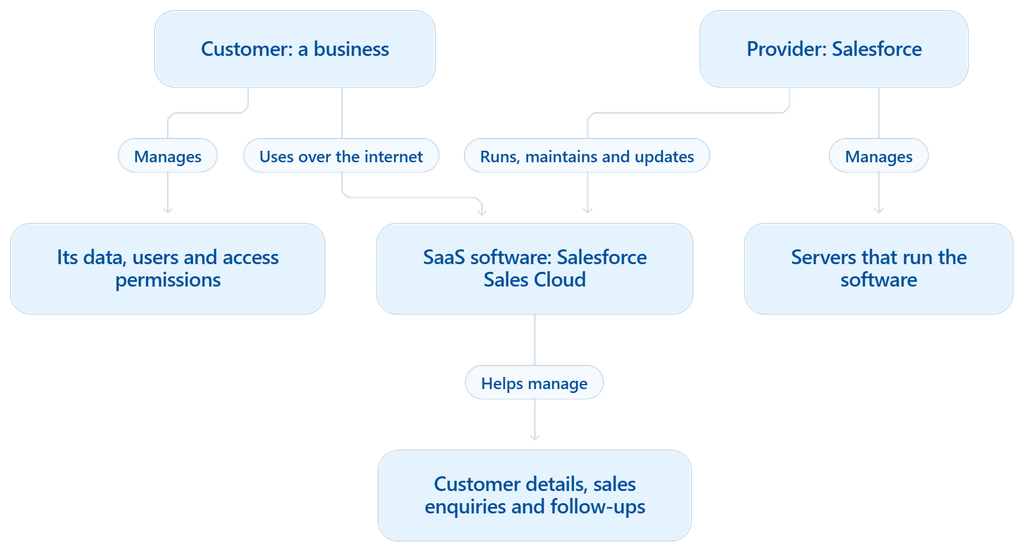
- SaaS stands for Software as a Service. It is software delivered over the internet, usually accessed through a web browser.
- The provider runs, maintains, and updates the software and manages the servers it runs on.
- Customers usually pay a subscription or a fee based on usage.
- For example, Salesforce Sales Cloud allows businesses to manage customer details, sales enquiries, and follow-ups online without maintaining the software themselves.
- The customer still manages its own data, user accounts, and access permissions.
2. What is SaaS architecture?
- SaaS architecture is the overall design of a SaaS application. It defines how the software’s different parts work together to deliver an online service.
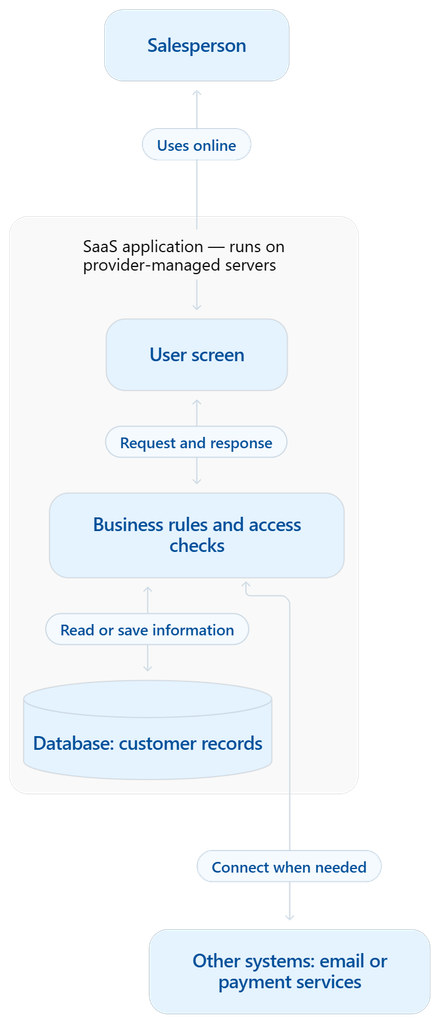
- These parts include user screens, business rules, databases, security controls, servers, and connections to other systems.
- The design must protect customer information, keep the service reliable, and support more customers as usage grows.
- For example, in Salesforce Sales Cloud, a salesperson opens a customer record. The system checks their access, retrieves the saved information, and displays it. SaaS architecture connects the parts that make this possible.
3. How is SaaS different from self-managed software?
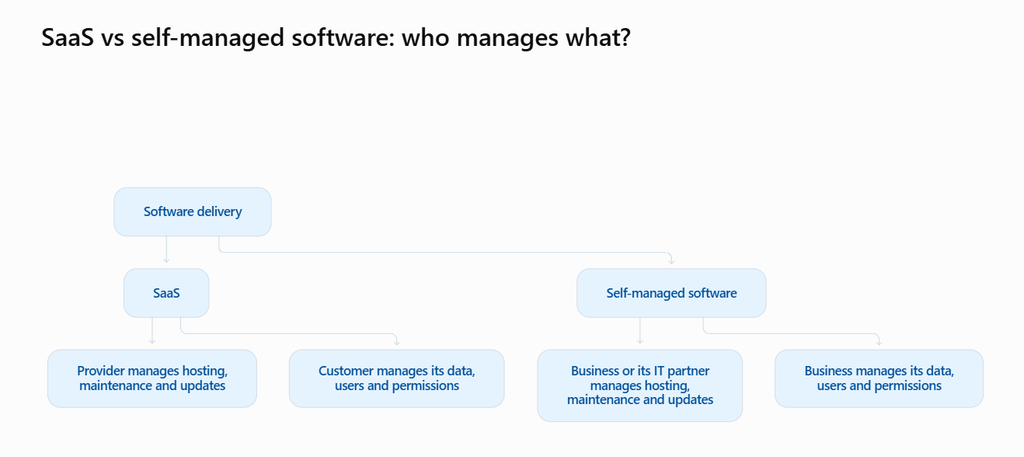
- With SaaS, the provider hosts, maintains, and updates the software. Customers access it online and usually pay a subscription or usage fee.
- With self-managed software, the business arranges installation, hosting, maintenance, and updates through its own team or an IT partner.
- For example, Salesforce Sales Cloud is SaaS. A business uses its CRM features while Salesforce maintains the service. A business that installs and maintains its own CRM uses self-managed software.
- The choice depends on total cost, required control, security needs, and available IT support.
4. What are the main components of SaaS architecture?
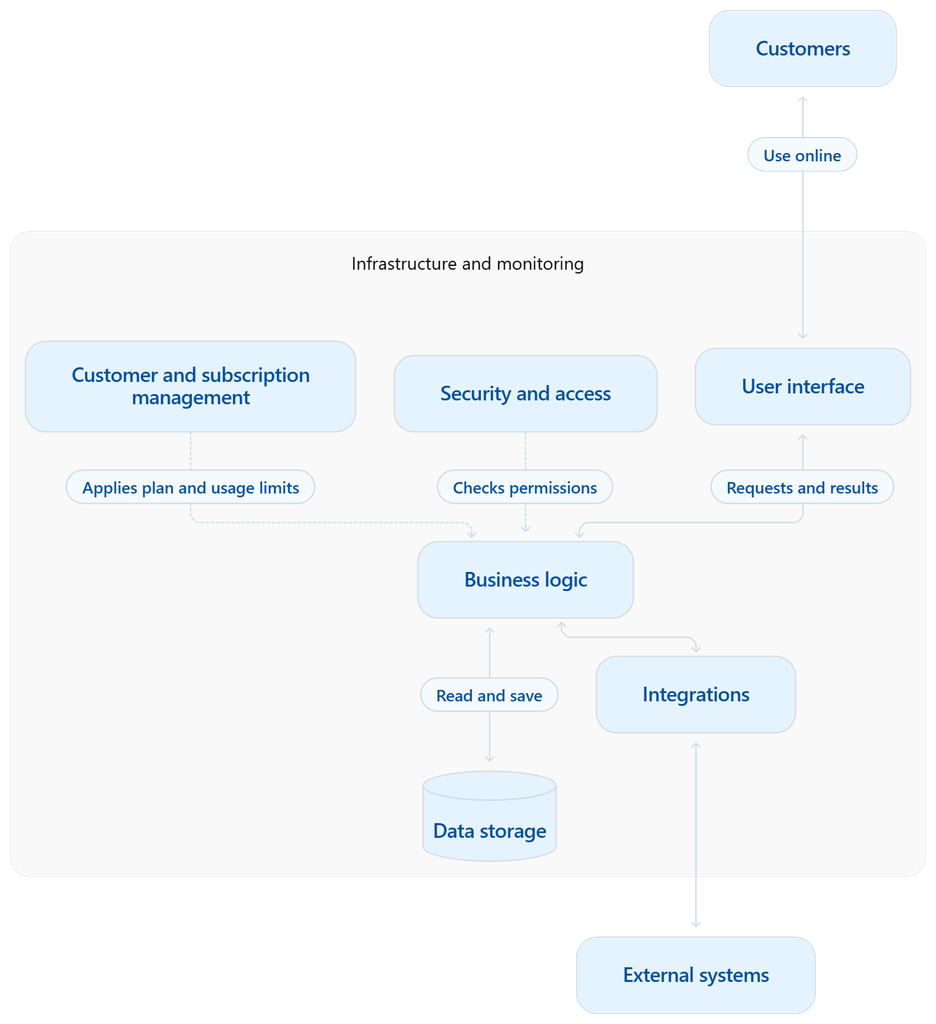
- User interface: The screens, forms, and dashboards customers use.
- Business logic: The rules that process requests, such as approving an order or calculating a bill.
- Data storage: Databases and file storage that hold customer information.
- Security and access: Controls login, permissions, and separation between customers’ private information.
- Customer and subscription management: Handles customer accounts, plans, billing, and usage limits.
- Integrations: Connect the software to other systems, such as payment and email services.
- Infrastructure and monitoring: Servers run the software; monitoring helps detect failures and performance problems.
5. What is a tenant in SaaS?
- A tenant is a customer account within a SaaS application. It usually represents a company or organisation.
- Each tenant has its own data, settings, and access permissions, even when it shares the underlying software and servers with other customers.
- A tenant is different from a user. One tenant can have many users.
- For example, in Salesforce Sales Cloud, a company’s organization account acts as a tenant. Its 50 employees can be users within that tenant, with different permissions based on their responsibilities.
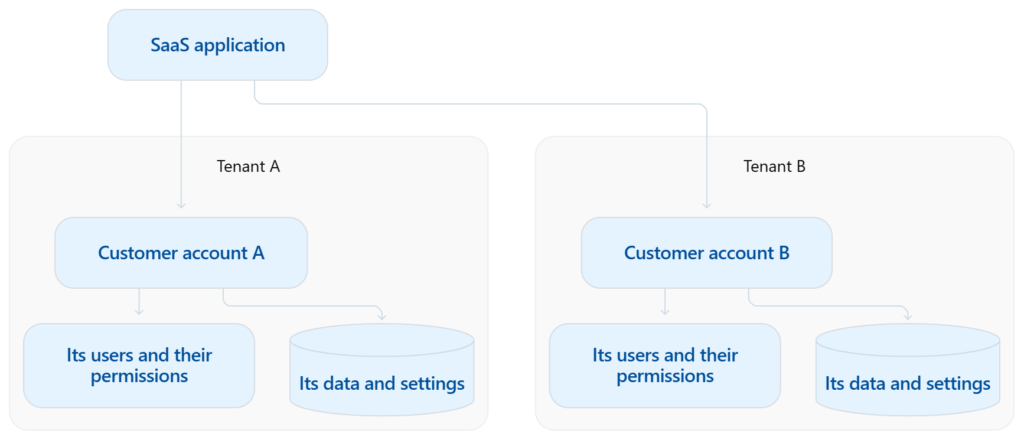
Each tenant is a separate customer account. Each user is a person who has access to that account.
6. What is single-tenant architecture?
- Single-tenant architecture means each customer gets a separate running copy of the application, called an instance.
- Each instance serves one customer organisation, which can still have many users.
- This provides greater separation between customers but usually increases hosting and maintenance costs.
- For example, GitLab Dedicated provides each customer with an isolated software environment hosted and maintained by GitLab. This shows that single-tenant software can still be delivered as SaaS. GitLab documentation
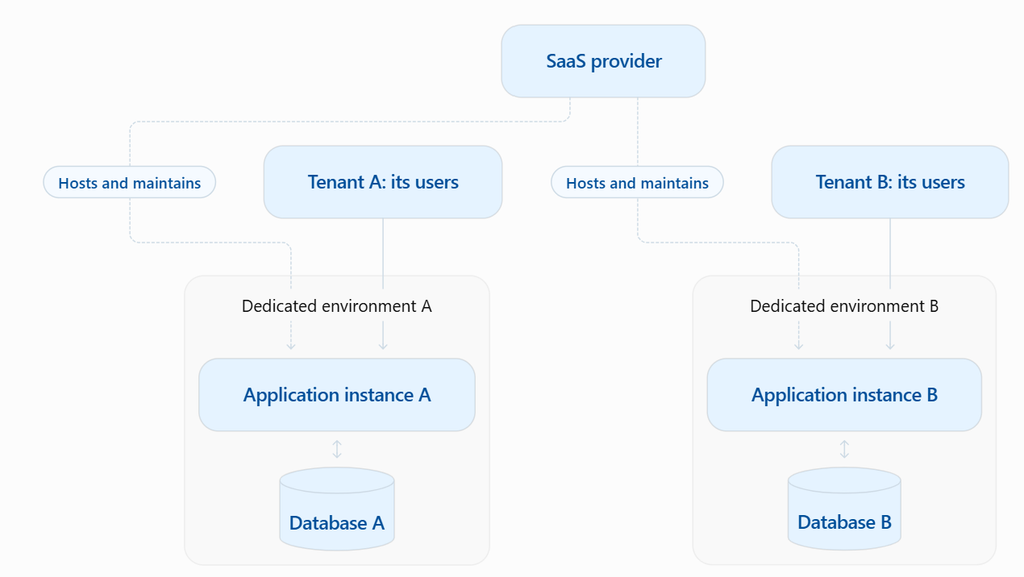
Each customer gets a separate software environment. Many users from the same customer can use that environment.